Check the Loading and Rewinding Steps Before Your First Roll of Film
Key Takeaway
Load your first roll away from direct sunlight, and finish rewinding before opening the back. The example below follows the PENTAX 17 guide. Leader positions and readiness indicators vary by camera.
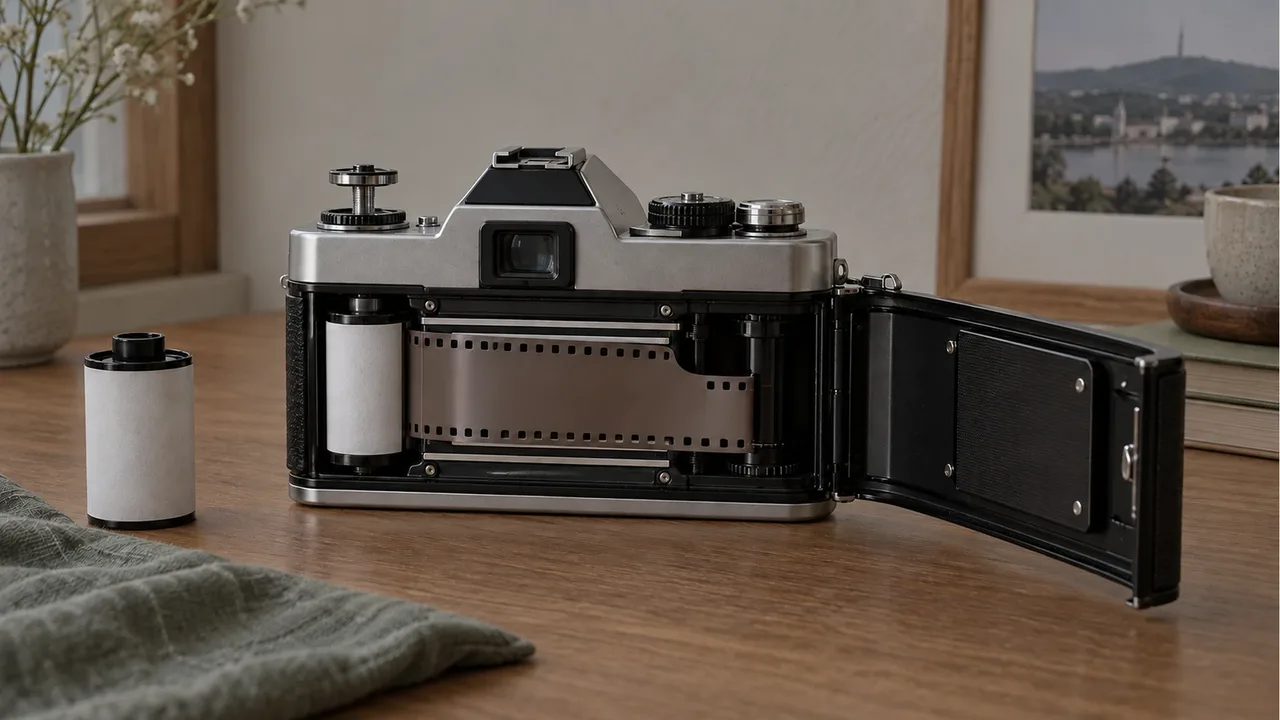
What should you check before loading film?
Check the camera model and film format first. The PENTAX 17 specifications list 35mm film and manual winding and rewinding. Even another 35mm camera may wind film automatically, so these manual steps will not apply unchanged.
Choose a dark location out of direct sunlight. Ricoh Imaging recommends this to prevent light exposure during loading. Keeping the film box and camera instructions together makes it easier to check the format and procedure.
How do you load the PENTAX 17?
Ricoh Imaging's easy-loading guide gives the following sequence.
- Insert the film cartridge into the camera.
- Pull the exposed leader to the film end indicator inside the camera.
- Close the back cover.
- Wind manually until the film counter reaches
0.
The 0 is specific to the PENTAX 17 instructions. With a different camera, follow its diagrams and readiness indicator instead of waiting for the same number or placing the leader at a roughly similar position.
How do the loading and unloading checks differ?
| Stage | Check in the official PENTAX 17 guide | Back cover sequence |
|---|---|---|
| Loading fresh film | Align the leader with the indicator | Close after alignment |
| Preparing to shoot | Check that the counter reaches 0 | Wind with the back closed |
| Unloading after shooting | Rewind the film completely | Open only after rewinding |
Checked on October 17, 2026. This table follows Ricoh Imaging's features and how-to pages.
After shooting, you need to rewind manually. Ricoh Imaging explicitly says not to open the back before the film is fully rewound. If you cannot tell whether rewinding is complete, keep the cover closed and find the completion check in the instructions.
What should you do after unloading?
Arrange development without a long delay. Ricoh Imaging recommends developing the film as soon as possible after unloading. The guide does not specify a safe storage period in days.
If you used the PENTAX 17, tell the lab the roll was shot in half-frame format. Noting the camera model on the film box or a separate memo makes it easier to check when you drop it off.
Frequently Asked Questions
Can I take a roll out before finishing it?
The PENTAX 17 supports mid-roll rewinding. For another camera, check its instructions for mid-roll rewinding and rewind the film fully before taking it out.
Can I open the back to check whether the film loaded correctly?
Do not open it if the camera contains film you have already exposed. Keep the back closed to protect the film from light, and follow your model's loading checks or have the camera inspected.
Should I reset the sensitivity when I change film?
The PENTAX 17 requires you to set sensitivity manually to match the film. Check the new box's ISO rather than leaving the previous roll's setting. Automatic sensitivity detection depends on the camera.
Sources & Verification Date
- Ricoh Imaging PENTAX 17 film loading and unloading guide · Verified
- Ricoh Imaging PENTAX 17 features and easy-loading guide · Verified
- Ricoh Imaging PENTAX 17 official specifications · Verified
All materials have been verified from official announcements and may have changed since verification.