Compare colour filters and exposure adjustments for black-and-white film
Key Takeaway
Colour filters change tones on black-and-white film. Yellow, orange and red darken blue skies; green lightens foliage. Set exposure using the filter model's instructions.
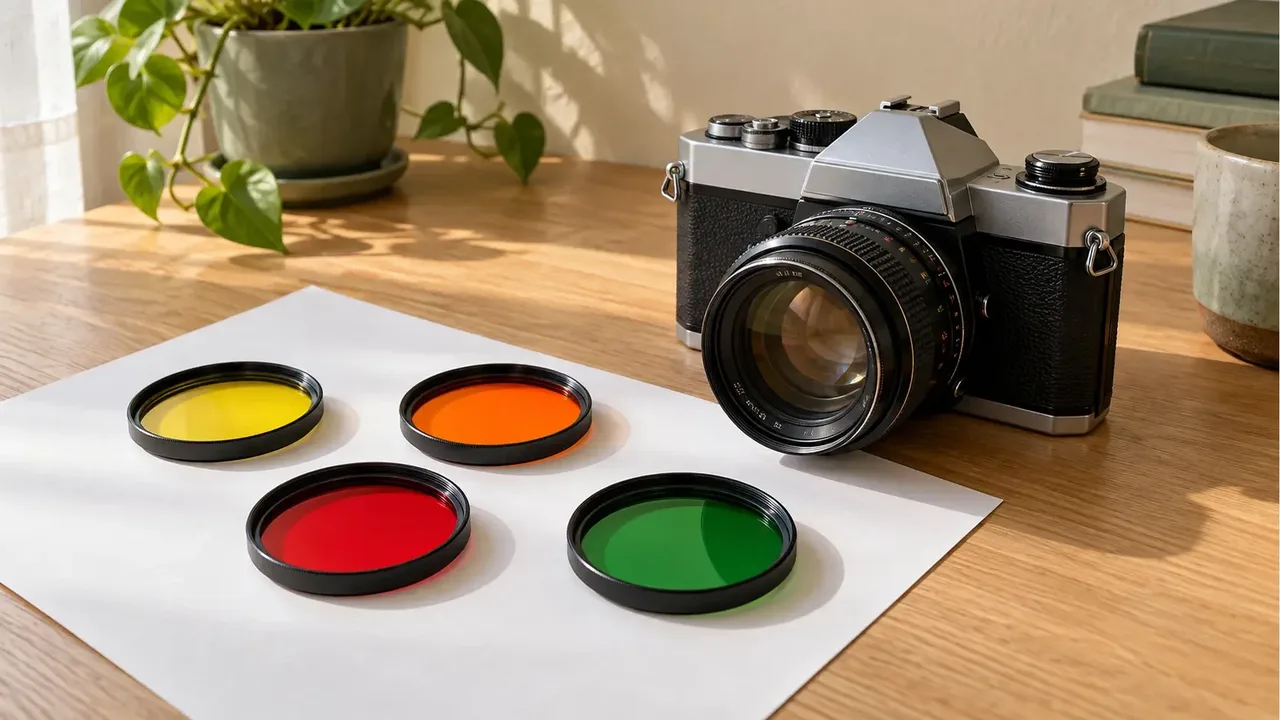
For an autumn walk with both sky and leaves in the frame, decide which colours you want to separate before you shoot.
What do colour filters change in black-and-white photographs?
Flowers and leaves that look distinct to your eyes can turn into similar greys in a photograph. A colour filter in front of the lens selectively passes different colours of light, changing the tonal separation between subjects.
ILFORD's colour filter guide explains that a yellow filter darkens blue skies, helping white clouds stand out. Orange produces a stronger effect than yellow, while red can increase the difference between sky and clouds further.
The table gives general directions for panchromatic black-and-white film. Panchromatic means the film responds to multiple colours across visible light. The strength of the result depends on the light, subject and film.
| Filter colour | Tonal change to consider | Scene to consider it for |
|---|---|---|
| Yellow | Darkens blue skies to separate them from clouds | A gentler change in the sky |
| Orange | Gives stronger sky-to-cloud contrast than yellow | Emphasising the sky in a landscape |
| Red | Darkens blues and greens while rendering reds lighter | Strong separation between a bright flower and leaves |
| Green | Lightens green leaves and darkens reds | Foliage alongside a red subject |
The ILFORD and HOYA official guides were checked on October 25, 2026. A stronger filter does not improve every scene. Check whether it will darken the subject you want to preserve.
Do filters of the same colour need the same exposure adjustment?
Adjustments vary by maker and model. HOYA's US guide specifies half a stop for its yellow K2, two stops for the orange YA3 and three stops for the red 25A. Do not apply those figures directly to other yellow, orange or red filters.
ILFORD's general guide gives a typical yellow filter a factor of two. A factor of two means twice as much light, equivalent to one stop of exposure. That differs from the half-stop figure listed for HOYA K2.
If you metered with the filter removed, apply the manufacturer's adjustment to that reading. You can admit more light by opening the aperture or extending the shutter time. Consider camera shake and moving subjects when the shutter time becomes longer.
Will the camera's meter compensate automatically?
Check whether your camera uses through-the-lens, or TTL, metering. Find the metering method in its manual and read the procedure for metering with a filter attached. A separate sensor outside the lens, or an external meter, may measure light before it passes through the filter.
Do not assume TTL compensates equally accurately for every colour filter. ILFORD points out limits to automatic compensation particularly with red and orange filters. Compare the camera and filter instructions before adding manual compensation to a reading already taken through the filter. Automatically adding it twice could give too much exposure.
Record the filter model, metering method and any extra exposure adjustment. After development and scanning, you can connect each frame to its shooting conditions.
What should you check before attaching a filter?
- Check the film box and official documentation to see whether it is panchromatic.
- Match the lens's front filter diameter and the filter's thread specification.
- Find the exposure adjustment for that model and the camera's metering method.
- Check composition, focus and shutter time before and after attaching the filter.
The official ORTHO PLUS description states that this film has no red sensitivity. Do not directly apply the table's red-filter effects or exposure values to an orthochromatic film like this. A black-and-white label alone does not establish the same spectral sensitivity.
If film types are confusing, start with the differences between colour negative, black-and-white and slide film. Before packing your camera bag, keep your filter's model name and its documented exposure adjustment together in your notes.
Frequently Asked Questions
Will a red filter make a black-and-white photograph red?
On black-and-white film, it changes how light or dark subjects appear according to their colour. The colour you see through the red glass and the tones in the developed photograph are different things.
What if focusing through a red filter is difficult?
HOYA says its 25A filter can make the view dark and recommends composing and focusing before attaching it. Check focus again if the camera or subject moves.
Can I choose the brightness of individual colours again in a black-and-white scan?
This differs from adjusting colour channels in a colour original. Black-and-white film records light from different colours as tones during exposure, so scanning cannot simply undo those colour choices.
Sources & Verification Date
- ILFORD guide to colour filters for black-and-white photography · Verified
- HOYA guide to black-and-white filters and model-specific exposure adjustments · Verified
- ILFORD ORTHO PLUS 35mm spectral sensitivity · Verified
- Lomography learning question on colour filters for black-and-white film · Verified
All materials have been verified from official announcements and may have changed since verification.